Skincare and Face Care Routine
- 4.4
- Rating
- 5.00M
- Installs
- Free
- Price
 Analysis by App-foxy
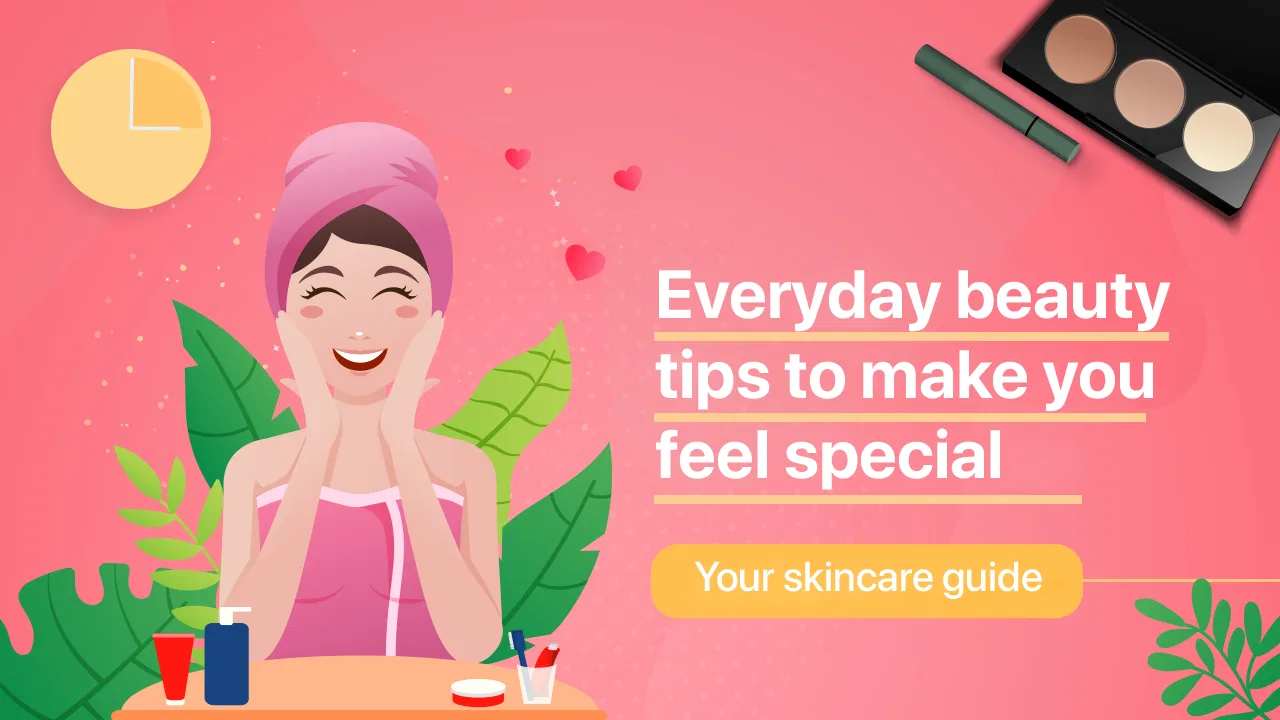
I approached Skincare and Face Care Routine as someone trying to make my daily skincare less random. Instead of opening a search engine every time my skin felt dry or uneven, I wanted one place to guide the basic decisions: what to do first, how often to repeat it, and how to keep a routine realistic. The app is free to download, aimed at Teen users, and developed by Rstream Labs. Its focus is beauty care, especially the small daily habits that can make a routine easier to follow.
My first impression was that this is best understood as a routine companion rather than a replacement for a dermatologist, a product-testing lab, or a medical consultation. It is designed to make skincare feel approachable. That matters for beginners, because the beauty category can quickly become confusing when every product promises a different result. The app’s central idea is simple: build consistency, learn the order of care, and make choices that suit your own skin instead of copying an elaborate routine from social media.
Starting with realistic expectations
The app presents itself around the idea of achieving a radiant, glass-skin-inspired appearance through daily tips, routines, and personalized care. I would treat that wording as a style goal, not a guarantee. Skin does not change overnight, and no routine can promise the same result for everyone. What the app does well is give a beginner a framework for thinking about skincare as a repeatable process rather than a collection of exciting products.
You May Also Like

 AccuWeather: Weather Radar
AccuWeather Review: A Quick, Clear Forecast for Everyday Decisions
For everyday plans, the best forecast is the one you can understand quickly. AccuWeather makes rain timing, radar, and local conditions easy to act on, with a few trade-offs.

 Hill Climb Racing
Why Hill Climb Racing Still Turns Crashes Into One More Run
A tiny car, a bumpy hill and one more upgrade: Hill Climb Racing keeps resurfacing because its simple chaos makes every near-miss feel personal.

 AliExpress - Shopping App
AliExpress Makes Global Shopping Feel Personal, but Shoppers Bear the Risk
AliExpress turns a global marketplace into a pocket-sized discovery engine. Its reach is useful, its shopping loop compelling, and its trade-offs easy to miss.

 Lords Mobile: Kingdom Wars
Lords Mobile Is a Kingdom-Building Routine, Not a Quick Match
A case-by-case verdict on the building, battles, device demands, and social commitments that make Lords Mobile rewarding for some players and exhausting for others.

 PDF Scanner app - TapScanner
TapScanner Makes Paperwork Easier to Capture, Check, and Share
TapScanner makes scanning with a phone feel less like a rescue operation and more like a dependable step in getting work done. Its capture tools are useful, though not flawless.

 Block Blast!
 Shows How Much a Puzzle Game Can Leave Out
A quiet grid game shows why puzzle players increasingly value instant clarity, repeatable skill and low-pressure play—and where the genre still needs to catch up.
More From Our News Desk
View All News


That distinction is important. If you are hoping for an instant diagnosis of acne, eczema, rosacea, or another condition, this is not the right place to begin. If you want help remembering the difference between cleansing, moisturizing, and protecting your skin during the day, it is much more suitable. I found the app most useful when I used it to reduce decision fatigue, not when I expected it to solve every skin concern.
The scale of the app is reassuring for a free beauty tool: it has passed five million installs and holds a 4.4 average from roughly twenty-eight thousand ratings. Those figures suggest that the concept has reached a broad audience, but they do not replace personal judgment. Skin type, climate, age, allergies, medication, and existing conditions all affect whether a suggested habit feels comfortable.
The current release is version 3.0.592, and it runs on Android 7.0 or later. That makes it accessible to people using older Android phones, although the experience will naturally depend on the device and operating system. The app is free, while optional in-app purchases range from forty-nine cents to fifty-nine dollars and ninety-nine cents per item. I would pay attention during setup and while exploring content so that I understand which parts are included without charge and which parts may require a purchase.
What the first session is really for
My advice is not to begin by trying to build a ten-step routine. The first session is more useful if you treat it as an orientation. Look for the parts that help you identify your current habits, understand a sensible order, and choose one or two changes you can repeat. A routine that takes a few minutes and actually happens is more valuable than an impressive plan that becomes exhausting after three days.
A practical first goal is to establish a morning and evening shape. In the morning, think about cleaning the face if needed, applying suitable care products, and finishing with daytime protection. In the evening, focus on removing the day’s buildup, using any treatment carefully, and moisturizing when appropriate. The app can help you think through that structure, but I would still read each recommendation critically and avoid adding several unfamiliar products at once.
This is also where the app compares favorably with the usual alternative: scattered beauty videos. Short videos can be entertaining, but they often emphasize dramatic transformations, expensive product collections, or routines designed for someone else’s skin. A dedicated skincare routine app is calmer and easier to revisit. The trade-off is that it may feel less exciting than browsing a stream of new trends, and it cannot personally examine your skin through a screen.
Setting up without overcomplicating things
When I start an app like this, I prefer to be honest about my current routine rather than selecting the most ambitious answer. If the setup asks about preferences or concerns, choose responses that describe your ordinary life. Someone who works outdoors, exercises often, wears makeup, or lives in a dry climate may need a different practical routine from someone who spends most of the day indoors.
Do not feel pressured to own every type of product mentioned. A useful setup should help you decide what to do with what you already have. If you have only a gentle cleanser and a moisturizer, that is enough to begin learning the rhythm of daily care. Adding multiple active ingredients immediately makes it harder to know what caused irritation, dryness, or improvement.
One of the less obvious advantages of approaching setup this way is that it creates a baseline. Before changing anything, notice how your skin feels after washing, whether tightness appears during the day, and whether certain products sting or leave a heavy residue. These observations are more useful than chasing a vague promise of perfect radiance. I recommend keeping a short note on your phone for several days, especially if the app encourages you to change more than one habit.
There is also a useful privacy-minded habit here: share only the information needed to make the experience relevant. A beauty app can be helpful without becoming the place where you record every personal detail. I would review any optional prompts carefully and avoid treating personalization as medical assessment. A tailored routine can be convenient, but it is still guidance, not a clinical conclusion.
The first meaningful success
The first success should be small and observable. For me, that would be completing a simple evening routine on a day when I was tired: cleanse gently, apply the products I already tolerate, moisturize if needed, and stop there. The achievement is not waking up with flawless skin. It is proving that the routine fits into real life and can be repeated without turning into a chore.
This is where the app’s daily focus can be useful. Rather than planning an entire month of changes, use one reminder or prompt as a cue to perform the next sensible step. If the app presents several suggestions, choose the one that addresses your most immediate need. Dryness calls for a different priority from excessive oiliness, and neither should automatically lead to aggressive exfoliation.
A realistic weekday scenario makes the value clearer. Imagine coming home late after wearing sunscreen or makeup and feeling tempted to skip everything. A routine guide can help you remember that removing the day’s products and washing gently is more important than adding a complicated treatment. The next morning, you can return to a basic daytime routine instead of trying to compensate with harsh scrubbing. That kind of consistency is more practical than following a perfect plan only on weekends.
Another useful technique is to introduce only one new product or behavior at a time. Give yourself enough time to notice whether your skin accepts it before adding another change. If irritation appears, you have a better chance of identifying the cause. The app may make it tempting to explore many suggestions, but restraint is one of the most valuable skincare skills a beginner can develop.
Where beginners can become confused
The phrase “personalized care” can sound more precise than it really is. Personalization may help organize recommendations, but it does not mean the app has examined your skin or confirmed an underlying condition. If you have painful, persistent, rapidly changing, or severe symptoms, I would choose professional medical advice over experimenting with an app-led routine.
Another common confusion is assuming that more steps equal better care. They do not. Cleansing too often, layering several strong treatments, or scrubbing aggressively can leave skin uncomfortable and make the routine harder to maintain. I would use the app as a guide to order and consistency, then simplify whenever my skin feels tight, burning, unusually red, or persistently irritated.
Beginners may also wonder whether they need to buy products immediately. My answer is no. Start with products you already know your skin tolerates, and check whether a recommendation fills a genuine gap. The free entry point makes it easy to explore, but the presence of optional purchases means you should separate educational guidance from shopping pressure. A product is not automatically necessary because it appears in a routine.
Sun protection is another area where people can misunderstand the purpose of a beauty routine. A bright-looking complexion is not the same as healthy skin, and cosmetic appearance should not replace sensible daytime protection. I would treat protection as a practical daily habit and follow the instructions on the product being used. The app can help keep the idea visible, but it cannot choose the correct product for every person or situation.
There is also a difference between a routine for a teenager and one for an adult with a long history of treatments. Because the content rating is Teen, the app may feel approachable to younger users, but younger users should still involve a parent, guardian, pharmacist, or doctor when dealing with medication, allergies, or significant skin problems. A simple routine is usually a better starting point than copying an adult influencer’s regimen.
How it fits into everyday skincare choices
Compared with a paper checklist, the app is easier to revisit and more engaging for someone who likes digital guidance. Compared with a product database, it appears more focused on behavior and routine than on endlessly comparing ingredients. Compared with social media, it offers a more deliberate path and less pressure to chase every trend. None of those alternatives is automatically worse; they simply solve different problems.
I would choose this app over a general notes app if I wanted beauty-specific structure and prompts. I would choose a dermatologist or qualified clinician when my concern involved persistent symptoms, possible infection, scarring, or a reaction that did not settle. I would choose a product-focused tool when my main task was checking ingredients or comparing formulas. The best option depends on whether your obstacle is consistency, product selection, or medical uncertainty.
One trade-off is that routine guidance can become repetitive once you understand the basics. That is not necessarily a flaw: repetition is exactly what helps habits stick. Still, experienced skincare users may find less value if they already have a stable routine and know how their products interact. For them, the app may be more useful as a reset tool after a break than as a permanent daily companion.
The developer, Rstream Labs, has positioned the product for broad accessibility rather than a narrow professional audience. I see that as a strength for first-time users who feel intimidated by beauty terminology. The limitation is that accessible advice must remain general. If you want detailed ingredient analysis, laboratory-style evidence, or specialist treatment planning, you will need another source alongside it.
Making the next step sustainable
After the first successful week, I would not immediately expand the routine. Instead, I would ask three practical questions: Did I follow it on busy days? Did my skin remain comfortable? Can I explain why each step is there? If the answer to any of these is no, simplify before adding anything. This approach turns the app from a checklist into a way of testing whether a routine genuinely fits your life.
A good next step is to create two versions of your routine: a normal version and a minimum version. The normal version can include all the care you comfortably use. The minimum version should cover the essential actions you can manage when traveling, working late, or feeling unwell. This is a concrete way to prevent one missed evening from becoming a complete abandonment of the habit.
I would also use the app to review seasonal changes rather than constantly reinventing my routine. Cold weather, humidity, travel, stress, and increased outdoor time can change how products feel. Adjust gradually, and avoid blaming the app if a routine that worked in one environment feels different in another. Your surroundings are part of the skincare equation.
For anyone considering purchases, I recommend setting a personal limit before browsing optional content. The available purchase range extends from small individual items to considerably more expensive ones, so knowing your budget in advance helps keep the experience intentional. Free guidance may be enough for your needs, and paying should only make sense if a specific addition genuinely improves how you use the app.
Overall, I found Skincare and Face Care Routine most convincing as a gentle starting point for people who want structure without becoming beauty experts overnight. It is free to begin, easy to understand in concept, and broad enough for everyday routines. Its strongest quality is not a promise of instant glass-like skin; it is the encouragement to make sensible care repeatable.
I would recommend it to a beginner who needs help turning scattered tips into a manageable sequence, especially someone who benefits from daily prompts and prefers a dedicated beauty app over handwritten notes. I would be more cautious about recommending it to someone seeking diagnosis, advanced ingredient research, or a treatment plan for a serious condition. Used with those boundaries in mind, it can be a reassuring first step: start small, observe how your skin responds, and let consistency matter more than perfection.
FAQs for Skincare and Face Care Routine
01What features does the Skincare and Face Care Routine app offer?
The app provides personalized skincare routines based on your skin type and concerns. It features a product recommendation engine, a skincare journal to track your progress, and reminders for your daily routine. Additionally, it offers educational content about skincare ingredients and their benefits, ensuring you make informed decisions.
02Is the Skincare and Face Care Routine app free to use?
The app offers a free version with basic features such as daily reminders and a skincare journal. However, to access advanced features like personalized consultations and premium content, a subscription is required. The app often provides a free trial period for users to explore premium features before committing.
03How does the app determine my skin type and concerns?
Upon registration, the app conducts a detailed assessment through a series of questions about your skin’s condition, lifestyle, and skincare goals. It may also use photos and AI technology to analyze your skin. This information helps tailor a routine and suggest products that best suit your individual needs.
04Does the app include product recommendations?
Yes, the app includes a robust product recommendation engine that suggests skincare products based on your skin type and concerns. These recommendations are curated by skincare professionals and updated regularly to include the latest and most effective products available on the market.
05Is my personal information safe with the Skincare and Face Care Routine app?
The app prioritizes user privacy and employs robust security measures to protect your data. Personal information is encrypted and stored securely, and the app complies with data protection regulations. Users can review the app’s privacy policy to understand how their data is used and managed.
Pros
- User-friendly interface with intuitive navigation.
- Extensive product database with reviews.
- Personalized skincare routine recommendations.
- Daily reminders to maintain consistency.
- Educational content on skincare ingredients.
Cons
- Limited features without premium subscription.
- Occasional bugs with product scanning feature.
- Requires internet connection for full functionality.
- No offline mode for skincare tracking.
- Limited support for rare skin conditions.

Skincare and Face Care Routine
Gallery